
ReportOne Features for field service reports and field work
Everything you need to work in the field.
ReportOne brings service reports, photos, customer signatures, materials, maintenance, field data collection and documentation into ready-made templates for different trades and industries. The technician collects information on-site, the office finds it organised, and the customer receives a professional report.

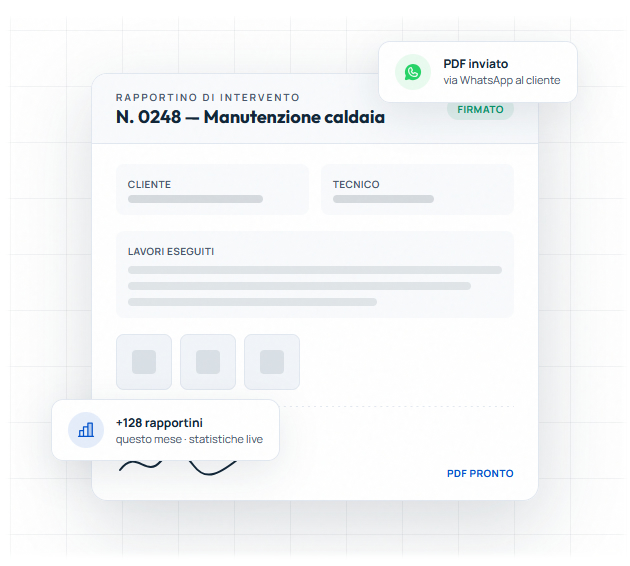
Overview of the main ReportOne features
ReportOne features help replace paper, Excel, manually filled PDFs and scattered WhatsApp messages with a clearer, easier-to-check workflow.

Digital service reports
Create work reports and technical service reports from the App and Web.

Digital checklists
Checks, inspections, audits, site visits and recurring tasks in a structured format.

Photos, signatures and attachments
Link proof, customer signatures, notes and documents to the job completed.

PDF reports
Generate professional reports from the data collected in the field.

Materials and parts
Record materials used, products, quantities and work information.

Service history and lookup
Keep activities organised by customer, job or template used.
From field work to report. Everything in one flow.
Field data collection becomes more organised. Photos, signatures, attachments and notes do not stay scattered in chats or folders. They follow the job through to the final report.

Fill in
The technician enters activities, notes and the data required by the template.
Add photos
Images stay linked to the service report or checklist.

Collect the signature
The customer signature becomes part of the same working flow.

Generate and share
The PDF is created from the data collected and can be sent to the customer.
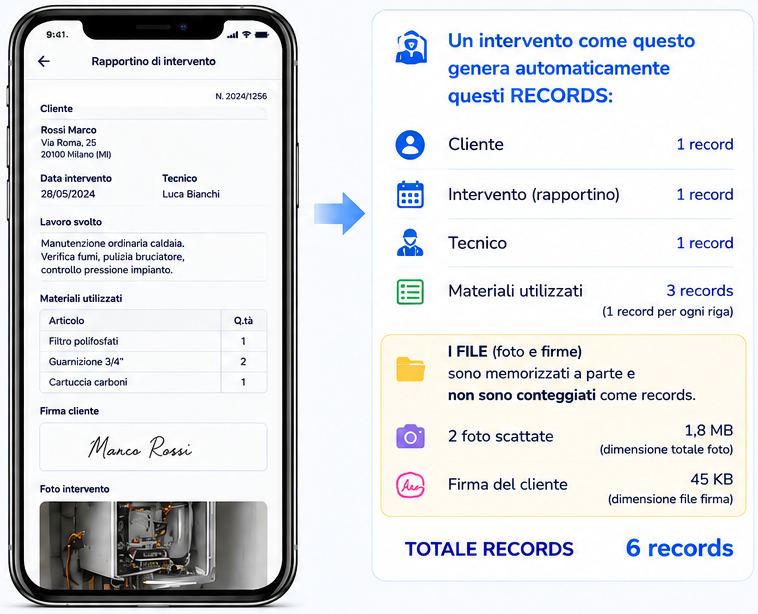
Materials, systems and maintenance
When the job needs more than a simple service report, ReportOne helps organise work information linked to materials, systems, equipment, inspections and maintenance.
- materials and parts used
- systems and equipment linked to the customer
- job and service history
- technical checklists and scheduled maintenance
Materials and parts
Record products, quantities and work details linked to the job.

Systems and equipment
Link information and documentation to the customer or managed asset.

Scheduled maintenance
Organise checks and recurring tasks when the template includes them.
Checks and inspections
Use structured checklists for site visits, audits and maintenance.
Why Choose ReportOne for Your Field Service Reports?
Work even without a connection. Sync when you are back online.
Offline + Cloud
For mobile field work, it is important to keep collecting data even when the connection is not always available. Then you can find the information organised in ReportOne according to the setup you use.


App, Web and Desktop
ReportOne is built for smartphone and tablet use in the field, and for Web/Desktop use when you need to review, check and organise work at the office.


Adapt ReportOne to the way you work
Customisation comes after the first step. Choose a ready-made template, then adapt it when more specific working needs emerge.
Start from ready-made templates
You do not start from a blank page. You adopt a structure designed for reports, checks, checklists and data collection, with features ready for work at the customer site and in the office.
Adapt when needed
Once the process is clear, the business can work on fields, sections, tables, dashboards, permissions and report structure, according to the options of the selected solution.
Features depend on the template
Choose the template closest to your activity and try the features designed for the way you work.
Different features for different jobs
ReportOne does not show every feature to everyone in the same way. Each template uses the features that matter for that job and industry.
From solo professional to team
Solo professionals reduce paper and manual retyping. Field teams can standardise data collection, reports and documentation.

Technical Service

Electrical

Plumbing

HVAC

Solar / Photovoltaic

Fire Safety

Industrial Maintenance

Heating / Boilers
Industrial Automation

Security and Alarms

Building and Job Sites

Cleaning Services

Water Treatment

Fibre and Telecommunications

Elevators
FAQ about ReportOne features
Can I use ReportOne offline?
ReportOne is designed for mobile field work. Offline availability depends on the setup used, but the goal is to collect data even away from the office.
Can I add photos to jobs?
Yes. Photos can be linked to the service report, checklist or activity, so they do not stay scattered on the phone or in chats.
Can I collect the customer signature?
Yes. The customer signature can be part of the service report flow and help generate a more complete document.
Can ReportOne generate professional PDF reports?
Yes. ReportOne can generate PDF reports from the data collected through the App and Web.
Can I track materials and parts?
Yes, when the selected template includes it, you can record materials, products, quantities and information linked to the job.
Can I schedule maintenance?
Yes, dedicated templates can help manage checks and scheduled maintenance.
Can I customise ReportOne?
You can start from ready-made templates and adapt fields, sections and flows according to the options of the selected solution.